|
To copy an RBD element |

|

|
|
|
To copy an RBD element |
|
|
To copy an RBD element
|
To copy an RBD element |
|
|
|
|
To copy an RBD element |
|
|
| 1. | Drag a rectangular selection region around an RBD element (or group of elements) to select it: |
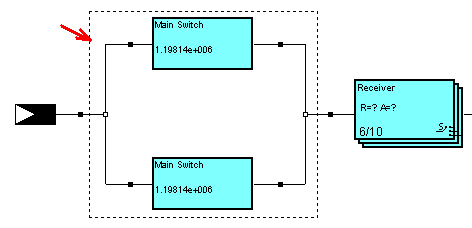
| 2. | Press Ctrl+C or choose Copy from the Edit menu. |
| 3. | Select an insertion node by clicking on it and press Ctrl + V or choose Paste from the Edit menu to paste in the copied element. |